1 second
Typical time from the moment you stop talking to your words on screen.

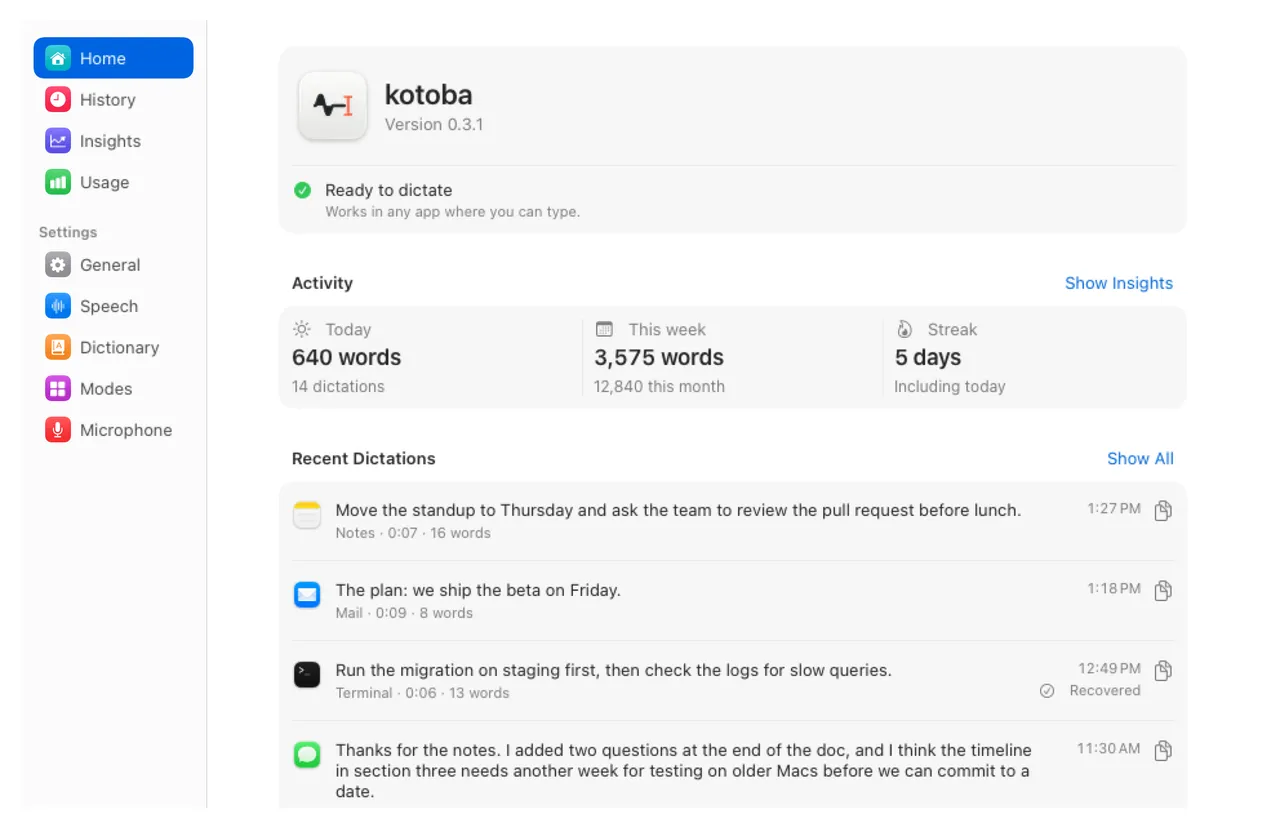
kotoba turns your voice into text in any app on your Mac: emails, messages, documents, notes and prompts. It is fast, light, private, and free to download.
macOS 26 or later. 6.5 MB.
Speak in any app. The text appears where you type.
Everything you want from dictation, without the account, the notetaker or the monthly bill.
1 second
Typical time from the moment you stop talking to your words on screen.
$0.10
an hour of speech, paid to the provider you choose. The app itself is free. Wispr Flow Pro is $12-15 a month.
85%
of technical terms spelled exactly right in our test. Wispr Flow got 50%.
9× lighter
kotoba is a native Mac app: about 80 MB in Activity Monitor. Wispr Flow used 748 MB in a third-party test.
No account. No telemetry. No notetaker.
Your audio goes only to the speech service you choose. Your history and dictionary stay on your Mac.
Write emails, answer messages, draft documents and give your coding agent long prompts, at the speed you speak.
Write



Chat


Browse




Terminal


Code


AI


And any other text field on your Mac.
In 2026 other dictation apps added meeting recorders, rewrites and smaller word limits. kotoba left them out.
Does not: Rewrite your words by default
It pastes what you said.
Does not: Bundle a meeting notetaker
One job: your voice, typed.
Does not: Make you sign up
No account, no kotoba server.
Does not: Send analytics or crash reports
Only a daily update check.
Does not: Run a web browser inside
Native, about 80 MB.
Does not: Cut you off mid-thought
No time limit. A nudge at 10 minutes.
kotoba is a cloud app: your speech is transcribed by the service you choose. This is the whole list.
Your audio, when you stop or pause
The speech service you choose
With your own key. On OpenRouter, only endpoints that keep no data. Grok has none, and kotoba tells you.
A long dictation goes in parts, at your pauses while you speak, so your text comes sooner.
On the recommended route, a short clip of silence or noise when you start wakes the service. None of your audio, each billed as 1 second.
Text, only if you ask
The cleanup or Polish model
Off by default. Polish runs on endpoints that keep no data.
Once a day
An update check
You can turn it off.
From each app’s own pricing pages and docs.
| kotoba | Wispr Flow | Superwhisper | Aqua Voice | Apple Dictation | |
|---|---|---|---|---|---|
| Price | Yes: Free app, speech about $0.10 an hour | $12-15 a month | $8.49 a month, or $249.99 once | $8-10 a month | Yes: Free |
| Native Mac app | Yes: Swift, about 80 MB | No: Electron, 748 MB | Not stated | Not stated | Yes: Part of macOS |
| No meeting recorder | Yes: One job | No: Notetaker in every plan | No: Meetings since 3.0 | Not stated | Yes: None |
| Your own API key | Yes: Yes | No: No | Partly: Pro only | No: No | Not needed |
| LLM rewrites | Yes: Only when you ask | Auto Cleanup, 4 levels | Modes with an LLM | Custom instructions | None |
Where kotoba falls short: English only, online only, a paid speech key, no local models, and macOS 26 or later.
The app is free. Speech to text costs cents an hour, and you pay that to your provider.
The whole app, free and open source. Bring a key for the speech service you choose.
$0 forever
A busy month: 2 hours of speech, about 14,600 words
言 to say
葉 leaves
言葉, kotoba, is Japanese for word, words, language. It is written with the characters for saying and for leaves: words are what grows from speech.
やまと歌は、人の心を種として、よろづの言の葉とぞなれりける。
Japanese poetry has the human heart as its seed, and grows into countless leaves of words.
Something missing? Ask on GitHub.
A Mac with macOS 26 or later, a microphone, and a key for a speech service. Setup asks for the microphone, then Accessibility, then an OpenRouter key. There is no account.
The app is free and open source, with every feature. With your own OpenRouter key, speech costs about $0.10 per hour of audio (a promotional price until 2026-12-31).
So it can hear your shortcut in every app and paste your text. To learn from your edits, it reads the field you pasted into for a short time after the paste. It never reads password fields.
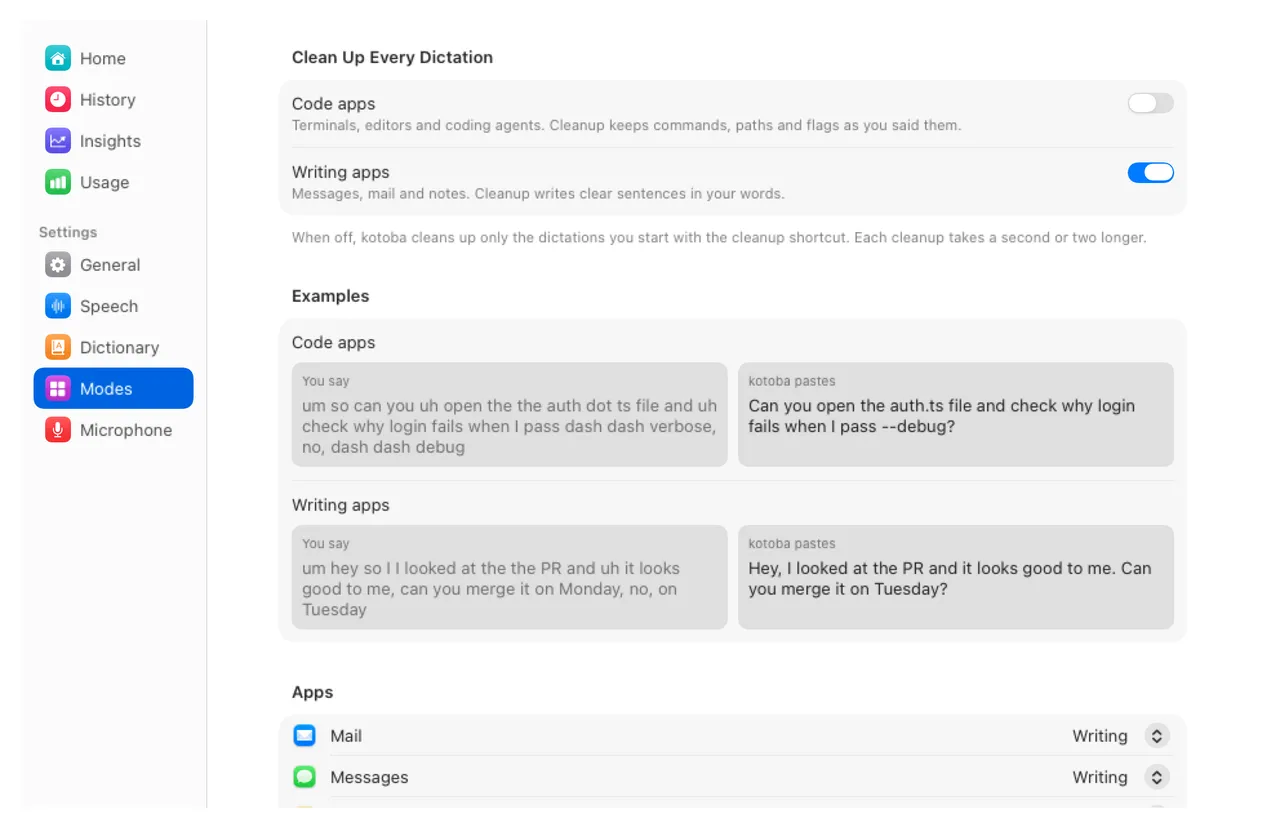
No. kotoba pastes the transcript as it comes back, after your own replacement rules. Cleanup, which removes filler words and fixes punctuation, is off until you press its shortcut or turn it on for code apps or writing apps.
An LLM rewrite of your last dictation, shorter and clearer, for a long prompt you want tidied. It runs only when you press its shortcut, replaces the text in place or copies it, and you have 8 seconds to undo. View Changes in History shows what it changed, word by word.
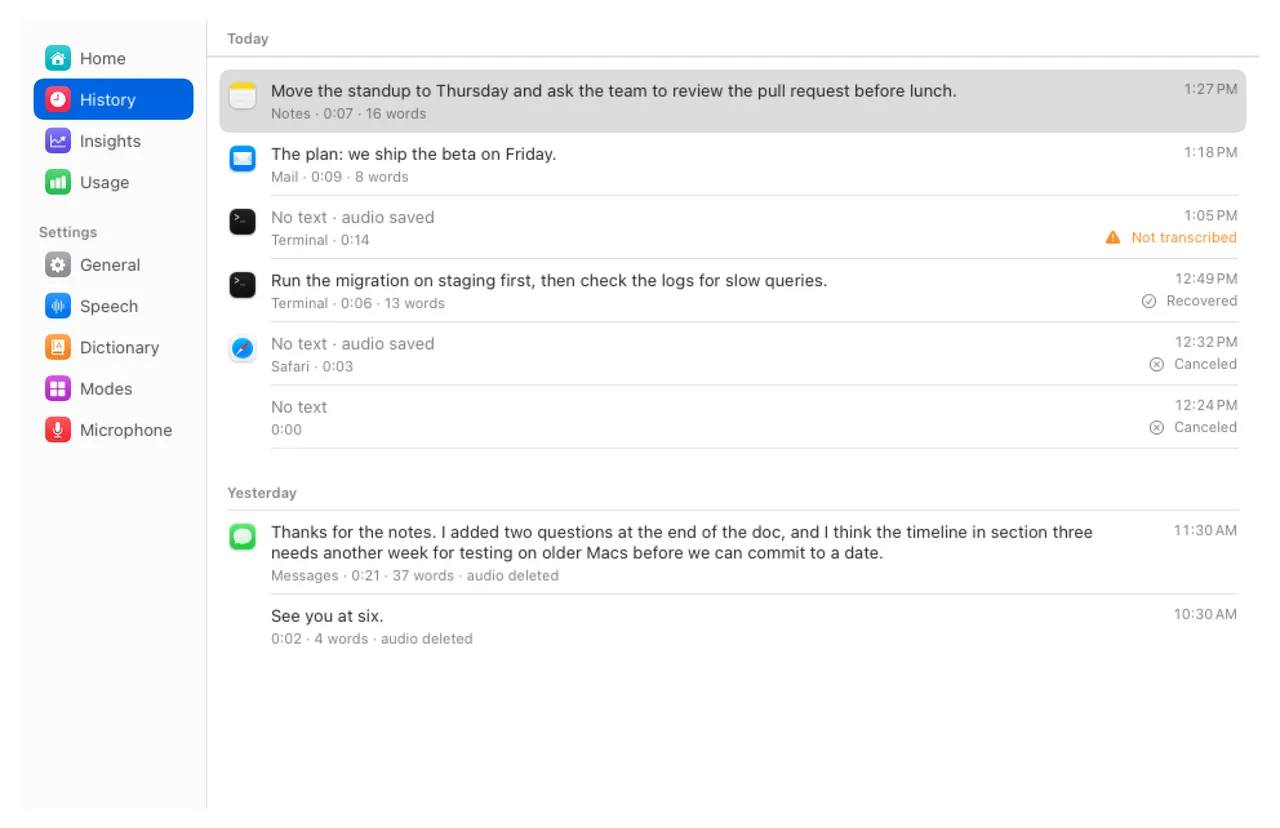
Your audio, to the speech service you pick, when you stop; a long dictation goes in parts at your pauses while you speak. A short clip of silence or noise when you start, to wake that service, never your audio. Text for cleanup or Polish, only when you ask for them. A daily update check, which you can turn off. Nothing else: see Privacy above.
No. Speech runs in the cloud, so kotoba needs a network connection. If the network drops, it keeps your audio and retries when the connection is back.
English only for now.
Yes. If Wispr Flow is installed, setup offers to import your dictionary, with the corrections Wispr learned.
The App Store sandbox blocks the global shortcut and the paste. kotoba is signed with a Developer ID, notarized by Apple, and updates itself.
Download kotoba, press your shortcut, and talk. It is free, notarized by Apple, and keeps itself up to date.
macOS 26 or later. 6.5 MB. Apache License 2.0.